Etsy Vacation Mode: How to Pause Your Shop Without Hurting Sales
Whether you're taking a real vacation, dealing with a personal emergency, or just need a breather, Etsy's vacation mode lets you temporarily pause your shop. But it comes with trade-offs that every seller should understand before flipping the switch. Here's how it works, what it does to your search ranking, and smarter alternatives worth considering.
What Vacation Mode Does
Etsy vacation mode is a built-in feature that lets you temporarily hide your shop from buyers. When you activate it, several things happen at once.
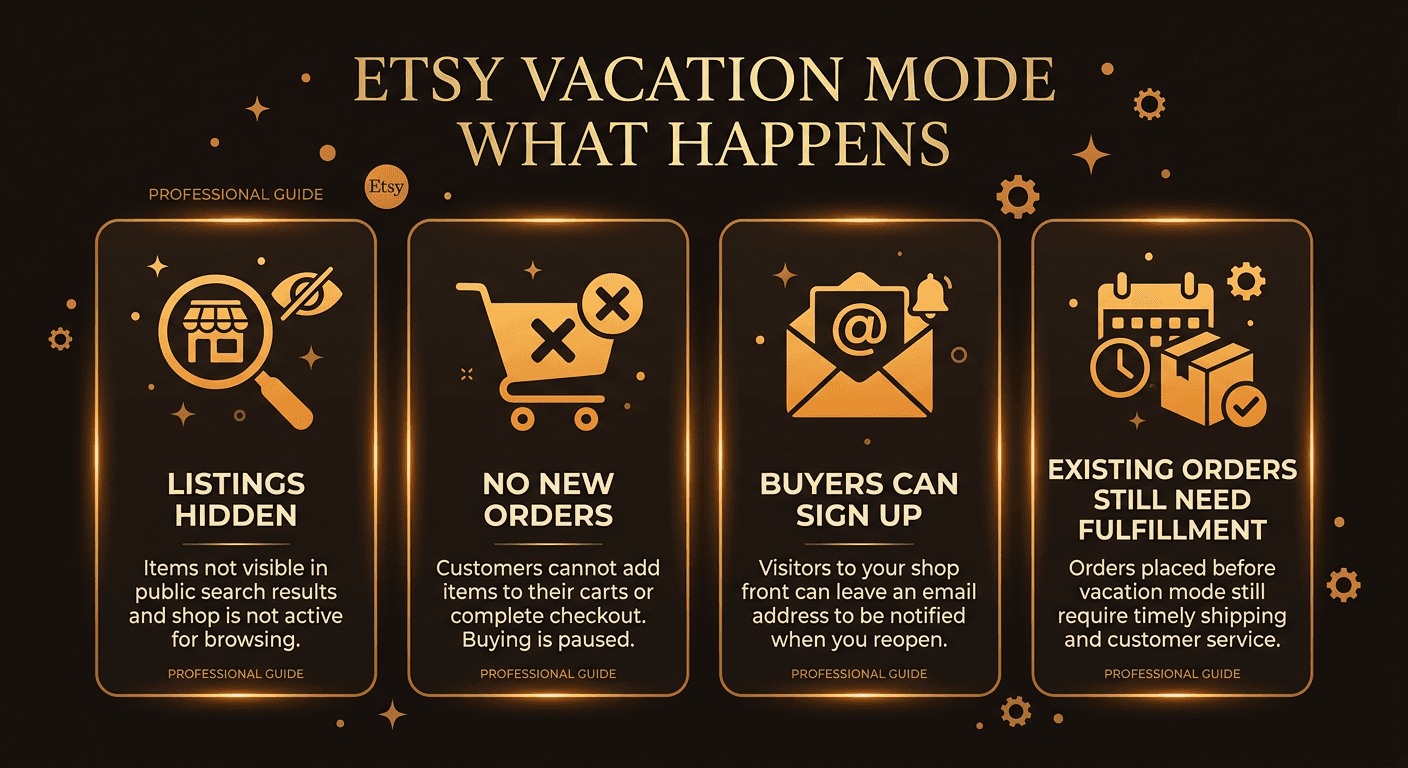
Listings hidden from search
All of your active listings are removed from Etsy search results and category pages. Buyers browsing the marketplace will not find your products. Your shop URL still works, but visitors will see a notice that you're on vacation instead of your usual storefront.
No new orders
Buyers cannot add items to their cart or place orders while your shop is paused. This is the core purpose of vacation mode — it prevents new commitments from coming in while you're unavailable to fulfill them.
Buyer reopen notifications
When someone visits your shop during vacation mode, they can sign up to receive an email notification when you reopen. This helps you recapture interested buyers who might otherwise move on to a competitor.
Existing orders still need fulfillment
This is the part sellers sometimes miss. Vacation mode does not pause your obligations for orders already placed. You still need to ship any outstanding orders within your stated processing time. Ignoring them can lead to cases, negative reviews, and account warnings.
How to Turn It On
You can activate vacation mode from either your desktop browser or the Etsy Seller app. Here's how to do both.
Via Shop Manager (Desktop)
- Go to Shop Manager on Etsy.com.
- Click Settings in the left sidebar.
- Select Options.
- Scroll to the Vacation mode section.
- Toggle vacation mode to On.
- Write an optional vacation auto-reply message for buyers who message you.
- Add a shop announcement explaining when you'll be back.
- Click Save.
Via the Etsy Seller App
- Open the Etsy Seller app.
- Tap More (bottom-right).
- Tap Settings.
- Tap Vacation mode.
- Toggle it On and fill in your auto-reply and announcement.
- Tap Save.
How to Turn It Off
Turning vacation mode off follows the same path — go to Shop Manager > Settings > Options > Vacation mode and toggle it back to Off, then click Save. On the Etsy Seller app, navigate to Settings > Vacation mode and toggle it off.
After you turn it off, your listings won't reappear in search instantly. It can take up to 10 minutes for your listings to show up again in Etsy search results and category pages. In some cases, sellers report it taking a few hours for everything to fully re-index.
Once your shop is back online, any buyers who signed up for reopen notifications will receive an email from Etsy letting them know your shop is active again.
Does Vacation Mode Hurt Your SEO?
The honest answer: yes, temporarily. Etsy's search algorithm factors in recency, sales velocity, and shop activity. When your shop is on vacation mode, all of these signals drop to zero. Your listings are completely removed from search during the pause, and when you come back, you're essentially starting cold.
For a short break of a few days, the impact is usually minor. Your rankings may dip slightly but recover within a week as new sales and engagement come in. For breaks longer than two weeks, the recovery period is noticeably longer. Some sellers report it takes two to four weeks of active selling to return to their pre-vacation ranking positions.
The ranking drop happens because Etsy's algorithm interprets inactivity as a signal that your shop may be less reliable or relevant. Other sellers who stayed active during your absence accumulated sales, reviews, and engagement data that your listings now need to compete against.
If your Star Seller status matters to you, keep in mind that extended vacation periods can also affect your metrics. Fewer orders during the evaluation window means you may fall below the minimum sales threshold.
Alternatives to Vacation Mode
Before you flip the switch, consider whether one of these alternatives might work better for your situation. They let you take a step back without the SEO penalty.
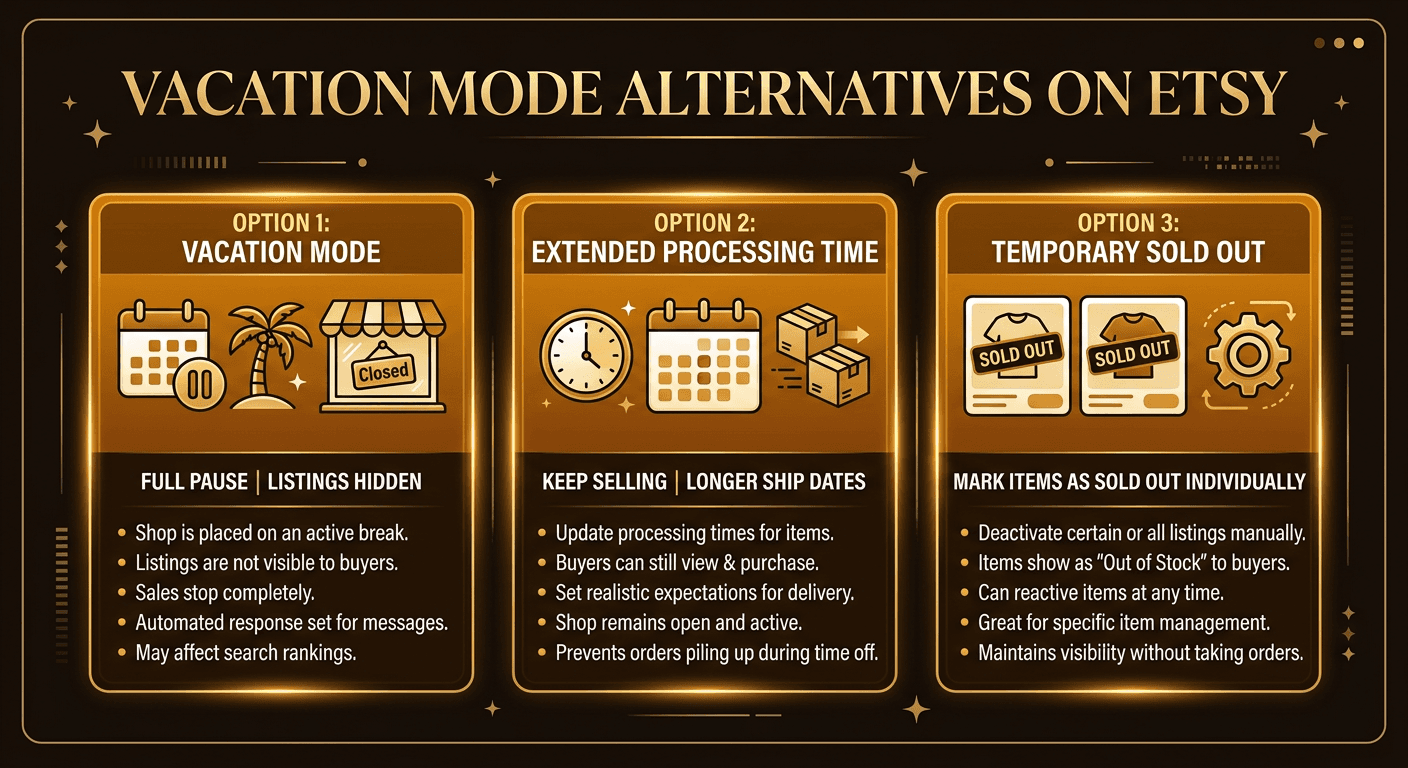
Extended processing times
Instead of pausing your shop entirely, extend your processing times to give yourself extra days to fulfill orders. If you normally ship in 1–3 days, bump it to 5–7 days or even 2–3 weeks. Your listings stay in search, orders keep coming in, and you have a comfortable buffer to handle fulfillment on your own schedule. This is the most popular alternative among experienced sellers.
Mark individual items as sold out
If you only need a break from certain products (handmade items that require your attention, for example), you can set the quantity to zero on those specific listings. They'll show as sold out rather than disappearing. Your other listings — digital downloads, print-on-demand items — can keep selling without you lifting a finger.
Hire help or a virtual assistant
For sellers with consistent order volume, bringing on a VA — even temporarily — can keep your shop running while you step away. A VA can handle customer messages, print shipping labels, and manage basic order fulfillment. The cost is often less than the revenue you'd lose from pausing your shop for two weeks.
Vacation Mode vs. Deactivation
These two options sound similar but work very differently. Vacation mode is a temporary pause — your listings, reviews, sales history, and shop settings are all preserved. You can reopen at any time with a single toggle.
Deactivation (also called closing your shop) is a more permanent step. Your listings are fully removed, and reopening requires going through Etsy's reactivation process. Depending on why the shop was closed, you may need to update payment information, verify your identity, or address outstanding policy issues before Etsy lets you reopen.
If you're unsure which applies to your situation, our guide on Etsy shop deactivated vs. suspended covers the key differences in detail, including what happens to your data and how to come back.
Vacation Mode vs. Suspension
The critical distinction here is control. Vacation mode is something you choose. You decide when to turn it on and when to turn it off. Suspension is something Etsy imposes on you as an enforcement action, typically for policy violations, intellectual property complaints, or other infractions.
When your shop is suspended, you cannot reopen it on your own. You need to go through Etsy's appeal process, address the issues that triggered the suspension, and wait for Etsy's Trust and Safety team to review your case. This can take days or weeks with no guaranteed outcome.
If you want to avoid involuntary downtime, the best approach is to proactively protect your Etsy shop by scanning for compliance risks before they escalate into enforcement actions.
Best Practices for Using Vacation Mode
If vacation mode is the right call for your situation, here's how to minimize the damage and set yourself up for a smooth recovery.
Set an auto-reply message
When you activate vacation mode, Etsy gives you the option to set an automatic reply for incoming messages. Use it. Let buyers know you're away, when you expect to return, and that you'll respond as soon as you're back. This prevents frustrated buyers and keeps your message response rate healthy — messages received during vacation mode are excluded from Star Seller calculations.
Update your shop announcement
Your shop announcement is visible even during vacation mode. Update it with your expected return date and a brief explanation. Something like “On a short break — reopening March 25th! Sign up to be notified when we're back.” This gives buyers a reason to wait for you instead of shopping elsewhere.
Fulfill all existing orders first
Before activating vacation mode, ship every outstanding order. Unfulfilled orders during your absence will lead to late shipment marks, cases, and negative reviews — exactly the kind of damage you're trying to avoid by taking a planned break. If you can't ship everything before leaving, contact those buyers directly to set expectations.
Plan for recovery
When you come back, expect a slow first few days. Boost your recovery by renewing a few listings, running a small sale or coupon to drive initial orders, refreshing your listing photos or tags, and sharing your reopening on social media. The faster you generate sales and engagement after reopening, the faster your search rankings will bounce back.
Scan Your Shop Before You Go
Going on break? Make sure there are no compliance issues waiting to bite you while you're away. Unflagged scans your Etsy listings for trademark risks, policy violations, and IP problems — so you come back to a clean shop instead of a suspension notice.
Start Free Compliance ScanFrequently Asked Questions
Does Etsy vacation mode hurt my search ranking?+
Yes, temporarily. When vacation mode is active your listings are removed from Etsy search, and the algorithm treats inactive shops as less relevant. After you reopen, it can take several days to a few weeks for your rankings to recover, depending on how long you were away.
Can buyers still see my shop while vacation mode is on?+
Buyers can still visit your shop URL and see your shop announcement and profile, but your listings will be hidden. They cannot place new orders. Buyers can sign up to be notified when you reopen.
Do I still need to fulfill existing orders during vacation mode?+
Yes. Vacation mode only prevents new orders. Any orders placed before you activated vacation mode still need to be shipped within your stated processing time. Failing to fulfill them can result in cases, negative reviews, and potential account issues.
How long can I keep my Etsy shop on vacation mode?+
There is no hard time limit, but Etsy recommends keeping vacation mode as short as possible. Staying on vacation mode for more than two weeks can significantly impact your search ranking and sales momentum. Extended periods of inactivity may also affect your Star Seller status.
What is the difference between vacation mode and deactivating my shop?+
Vacation mode is a temporary pause — your shop, listings, and reviews are preserved and you can reopen at any time. Deactivating (closing) your shop is more permanent. Your listings are removed entirely, and reactivating requires going through Etsy's reopening process. Vacation mode is for breaks; deactivation is for stepping away indefinitely.
Is there a way to take a break without using vacation mode?+
Yes. You can extend your processing times to give yourself more buffer, mark individual listings as sold out, or hire a virtual assistant to handle orders while you're away. These alternatives keep your shop visible in search and avoid the SEO penalty that comes with vacation mode.